Customer Feedback Software with Unlimited Custom Fields
FeedbackPoster helps SaaS and product teams collect structured customer feedback with unlimited custom fields. Add business-specific data to feature requests, filter feedback by custom attributes, prioritize ideas, and uncover product insights faster.
What Are Custom Fields in Customer Feedback Software?
In feedback forms of many tools, you may have noticed standard fields like title, description, status, and priority. Custom fields let administrators go further by creating additional fields tailored to their business or product. Capture information such as customer tier, product module, browser, department, region, or any other data your team needs.
Why Do Custom Feedback Fields Matter?
Custom feedback fields allow teams to capture additional context beyond standard fields like title, description, status, and priority. They help organize feedback around the information that matters most to your business and product workflow.
By adding business-specific fields, like:
,teams can categorize, filter, and analyze feedback more effectively. Instead of manually reviewing hundreds of comments, custom fields help teams quickly find patterns, identify trends, and prioritize important requests.
For example:
- A SaaS company can identify requests from enterprise customers.
- A support team can track issues by browser or platform.
- Product teams can understand which modules receive the most requests.
How FeedbackPoster Implements Custom Fields
FeedbackPoster allows administrators to create custom fields that match their product and business needs.
1. Choose a Custom Field Type
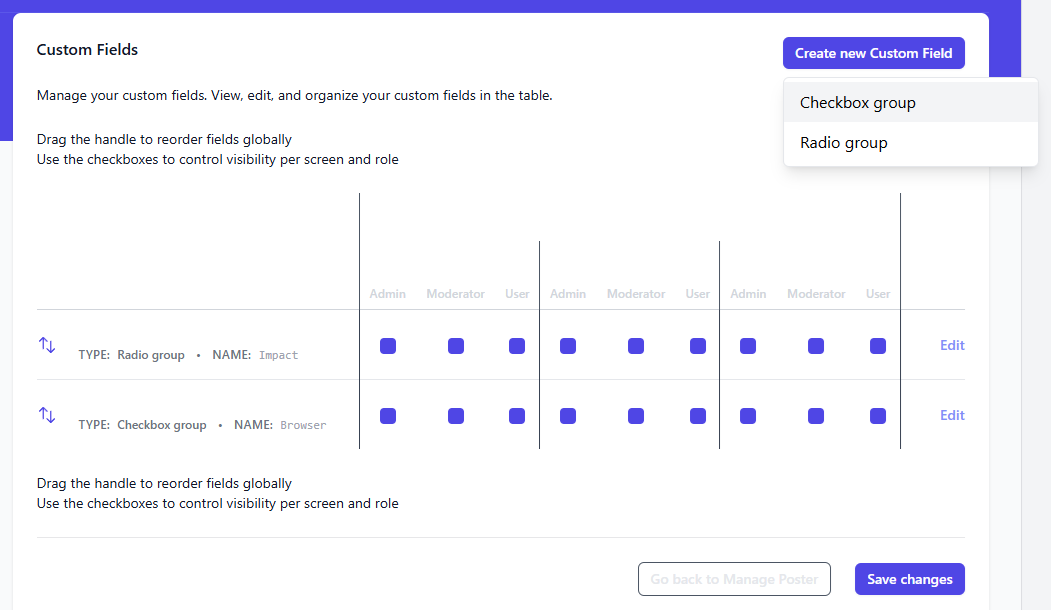
2. Define the Field Name and Values
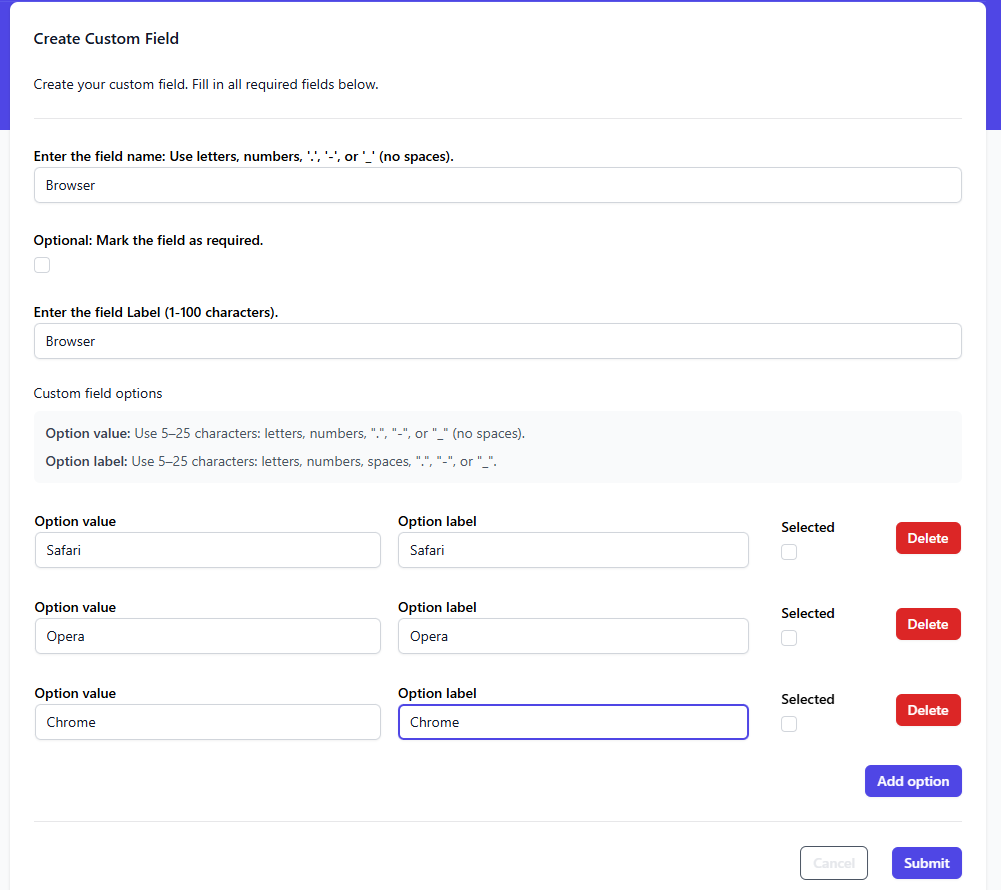
3. View and Edit Custom Fields in Feedback Details
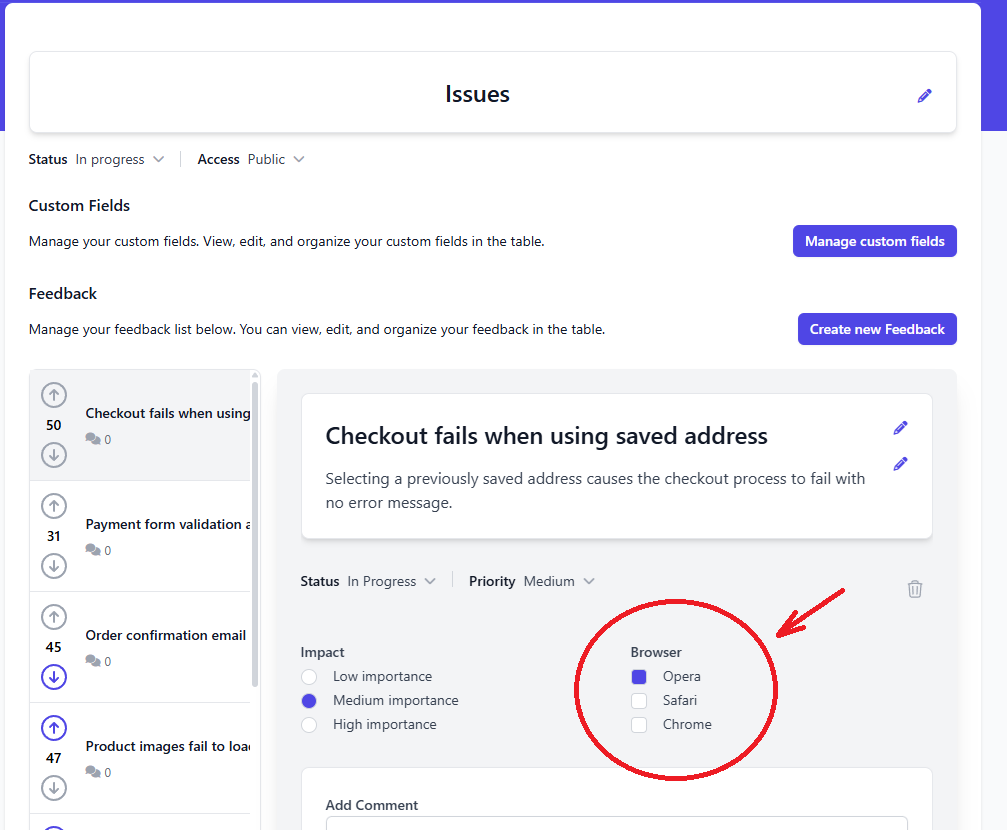
Get More Value from Structured Feedback
Custom fields become even more powerful when combined with advanced filtering and analytics. Filter feedback using any custom field and discover trends across customer segments, products, or regions.
In-app feedback widget
Collect feedback directly inside your product with an in-app widget.
Advanced Filtering
Filter feedback using custom fields, status, priority, boards, and more to quickly find the requests that matter.
Feedback Analytics
Analyze feedback trends, customer demand, and feature requests with built-in charts and reporting.