Advanced Feedback Filtering for Product Teams
FeedbackPoster provides advanced feedback filtering for SaaS and product teams, helping them quickly find and analyze feature requests using boards, status, priority, votes, comments, and custom fields. Identify high-impact customer needs and prioritize product decisions faster.
What Is Advanced Feedback Filtering?
As your feedback database grows, manually searching through hundreds or thousands of requests quickly becomes inefficient. Advanced feedback filtering helps product teams instantly narrow feedback using multiple criteria at once.
FeedbackPoster combines traditional filters like status and priority with dynamic administrator-created custom fields, giving every SaaS company, product manager, customer success team or support team, a filtering experience tailored to their own product and workflow.
Why Is Advanced Feedback Filtering Important?
Most feedback tools work well when you only have a small number of requests. As feedback grows, however, product teams need much more than a simple search box or a few built-in filters.
Teams regularly need answers to questions such as:
- Which Enterprise customers requested this feature?
- Which browser generates the most bug reports?
- Which product module receives the most requests?
- Which high-priority requests also have the most votes?
- Which feedback belongs to our mobile application?
Many customer feedback platforms only provide a limited set of built-in filters such as board, status, or votes. While useful, they cannot reflect the unique structure of every business.
FeedbackPoster combines standard filtering with administrator-defined custom fields, allowing every organization to filter feedback using the information that matters to their own products, customers, and workflows.
Advanced Feedback Filtering in Action
FeedbackPoster uses a two-stage filtering system. Users always have access to essential filters, while business-specific custom fields appear only when they're relevant.
1. Start with Basic Filters
Every workspace includes the most commonly used filters for finding feedback quickly.
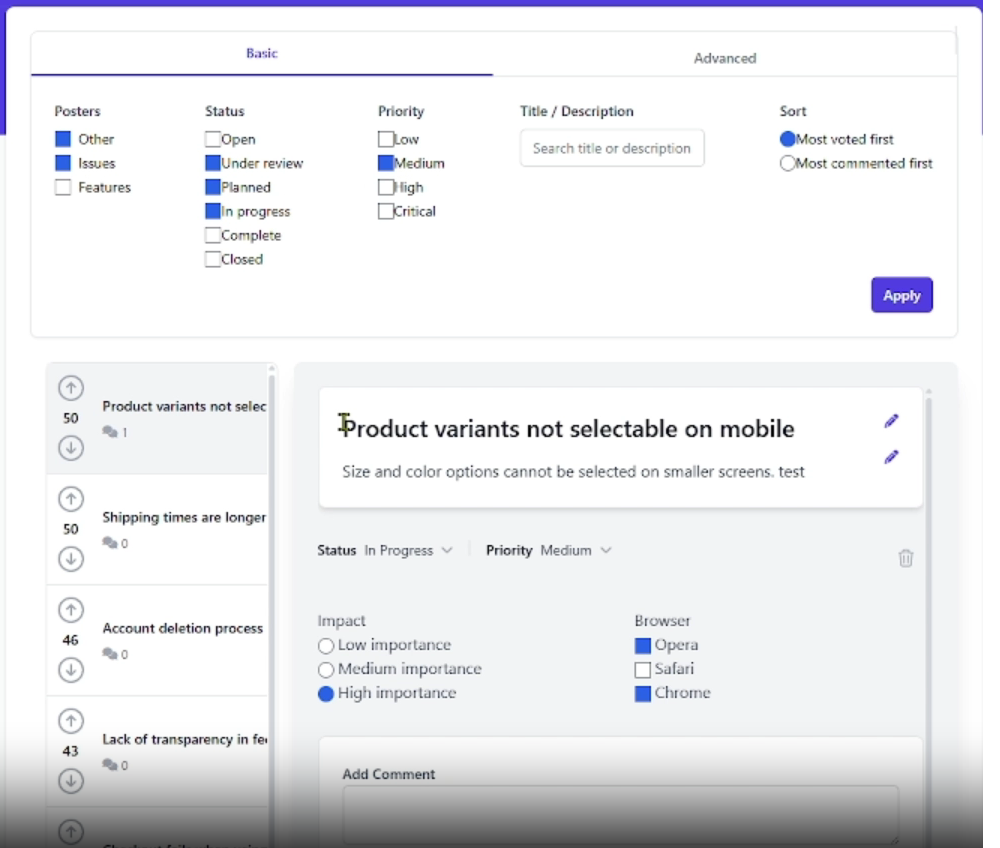
2. Select a Board (Poster)
Each Poster represents a separate product, application, department, or workspace. Since every Poster can have different custom fields, FeedbackPoster first asks users to choose the Poster they want to explore.
This keeps the interface simple while ensuring users only see filters that are relevant to the selected product.
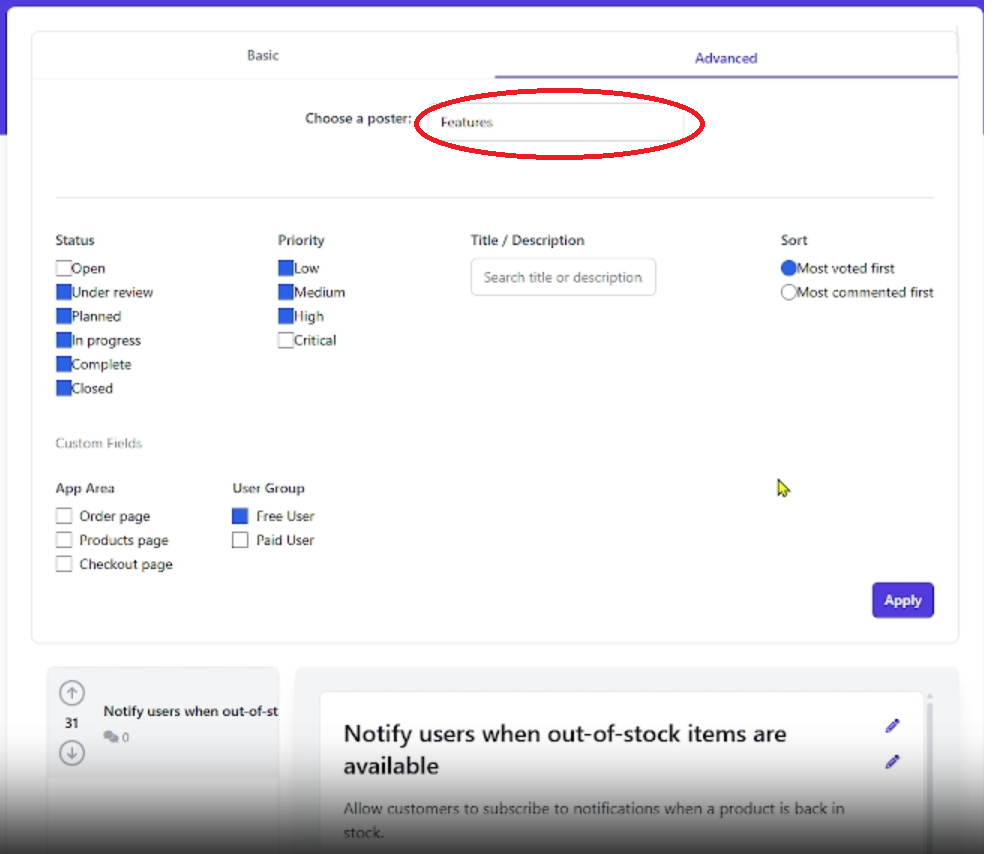
3. Dynamic Custom Filters Appear
Once a Poster is selected, FeedbackPoster automatically displays its custom fields alongside the standard filters.
For example, one Poster may contain filters for Browser, Device, and Product Module, while another may display Department, Region, or Customer Tier. Every Poster has a filtering experience tailored to its own business requirements.
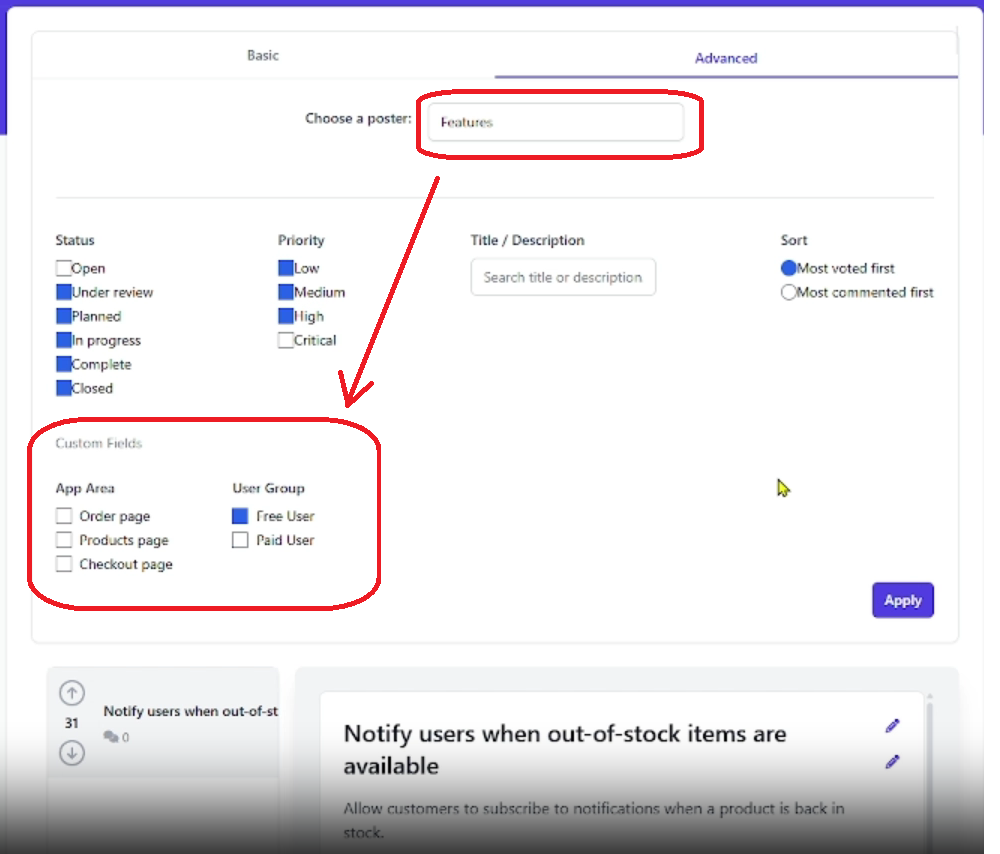
4. Combine Filters to Find Exactly What You Need
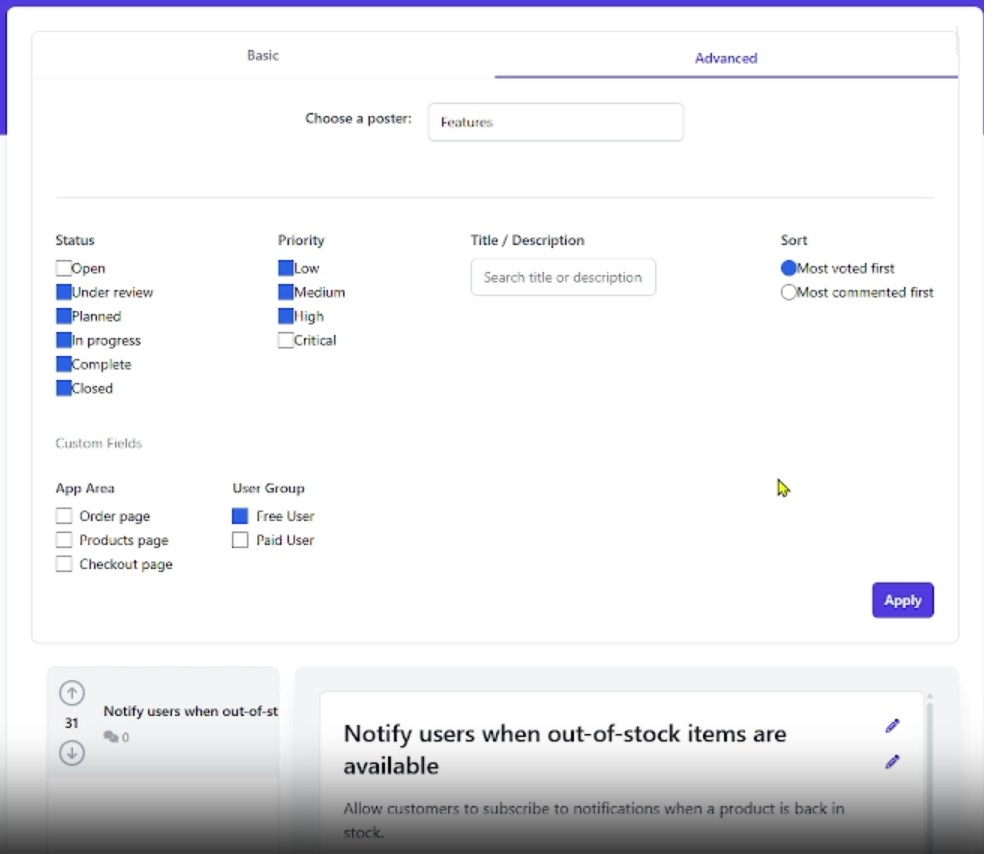
Powerful filtering comes from combining multiple criteria together. Product teams can quickly isolate the exact feedback they're looking for without manually reviewing hundreds of requests.
Example 1
- Status = Open
- Priority = High
- Browser = Safari
- Module = Checkout
- Sort by Upvotes
Example 2
- Poster = Mobile App
- Customer Tier = Enterprise
- Region = Europe
- Status = Planned
Why Product Teams Need Advanced Feedback Filtering
Many customer feedback platforms provide a fixed set of filters that work for common scenarios. FeedbackPoster takes a different approach by adapting filtering to each product through administrator-created custom fields.
Instead of displaying every possible filter in every workspace, FeedbackPoster keeps the interface clean by showing only the custom fields that belong to the selected Poster.
This makes filtering easier to use, scales naturally as products grow, and allows teams to organize feedback around the information that actually matters to their business, whether that's customer tier, browser, product module, department, subscription plan, region, or any other custom field.
The result is faster feedback discovery, better prioritization, and more informed product decisions.
Complete Your Feedback Workflow
Advanced filtering is even more powerful when feedback is structured with custom fields and supported by built-in analytics. Together, these features help product teams organize requests and make better prioritization decisions.
In-app feedback widget
Collect feedback directly inside your product with an in-app widget.
Custom Feedback Fields
Capture customer, product, and business information with unlimited custom fields to create structured feedback.
Feedback Analytics
Turn filtered feedback into actionable insights with dashboards, charts, and trend analysis.